
Entering the world of CNC glass cutting can feel overwhelming, especially when you are just starting to evaluate the software that controls the entire process. The right program does more than simply translate drawings into machine paths—it determines edge quality, cycle time, material yield, and even the safety of your operation. This guide is designed for beginners who need a clear, practical understanding of what CNC glass cutting software should do, how to evaluate it, and why an experienced partner like DISAI can make the difference between a frustrating trial-and-error period and a smooth, professional installation.
What Is CNC Glass Cutting Software?
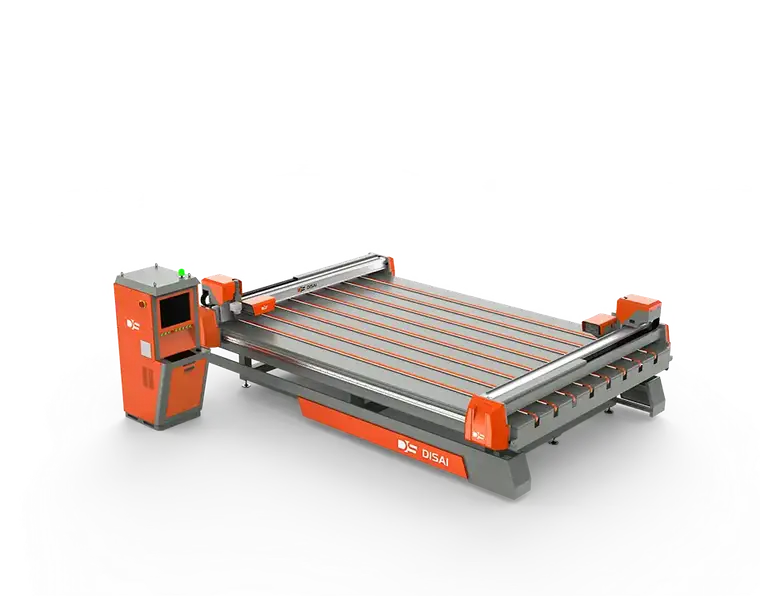
CNC glass cutting software is the digital brain of an automated glass cutting table. It takes geometric data from CAD files or custom shapes and generates optimized cutting paths for a machine equipped with a scoring head or a waterjet nozzle. Unlike generic CAM software, glass cutting programs must account for brittle material behavior, cutter pressure, wheel angle, and break-out considerations. For a beginner, understanding this distinction is critical—you are not just learning a generic drawing tool; you are engaging with a specialized application layer that directly affects glass breakage and edge quality.
Core Roles of the Software
- Nesting: Arranging irregular shapes on a standard sheet to minimize waste and maximize yield.
- Path Generation: Creating continuous, precise scoring lines with appropriate speed and pressure.
- Machine Control: Sending commands to the servo drives, lift tables, and breaking systems.
- Error Margins: Compensating for wheel wear, glass thickness variation, and temperature changes.
Key Features to Look for in Beginner-Friendly Software
Not all software is created equal. Some are built for high-volume industrial operations, while others suit small workshops. As a beginner, you need a balance between capability and usability. The following features should be at the top of your checklist:
1. Intuitive Drawing and Import Tools
You should be able to import DXF/DWG files directly, or quickly draw simple rectangles, circles, and polygons within the software interface. Look for visual feedback, undo history, and snap functions that make design work forgiving.
2. Automatic Nesting with Manual Override
Automatic nesting saves time, but manual editing capability is equally important. You may need to prioritize a critical part or avoid a defect in the glass sheet. A flexible nesting engine lets you adjust rotation, spacing, and edge margins without fighting the program.
…
For more detailed information, please click to access the introductory guide to CNC glass-cutting software: https://www.disaiglass.com/industry-news/cnc-glass-guide/
